How Calemio works
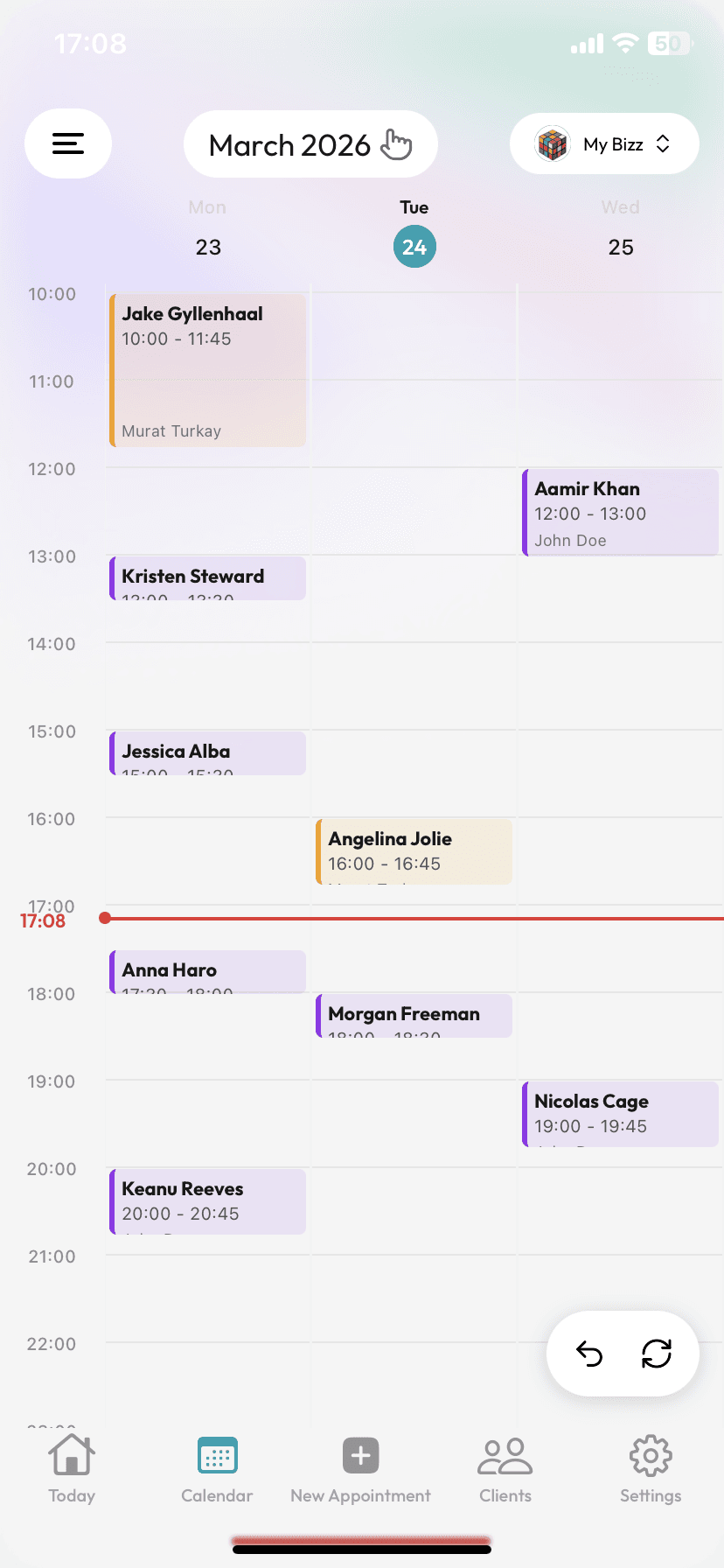
Create your account & set your calendar
Sign up in minutes; define your working days, appointment lengths, and the buffer between them. Your calendar is ready instantly.
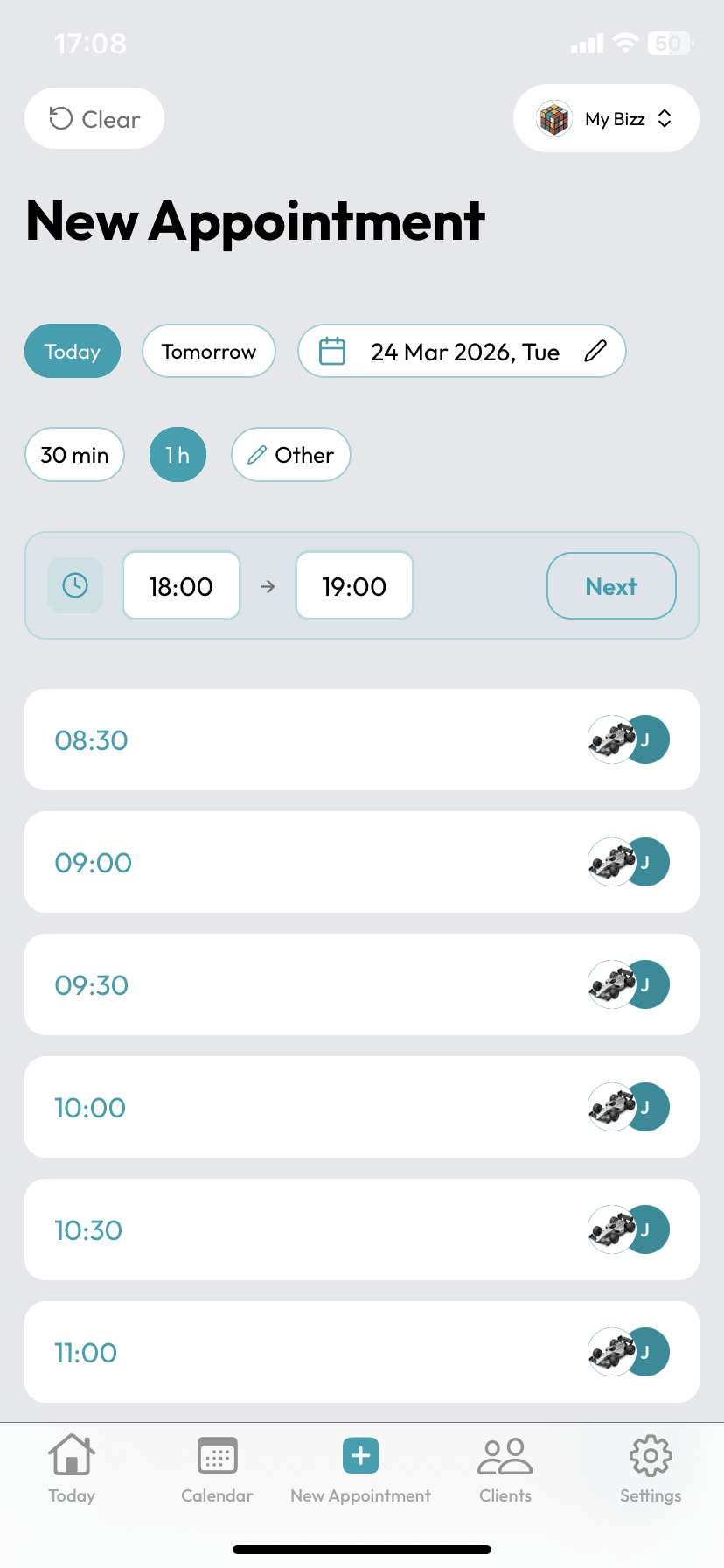
Manage appointments in one tap
Book appointments and let SMS reminders and confirmations go out automatically. Gaps fill up, no-shows go down.
Create your account & set your calendar
Sign up in minutes; define your working days, appointment lengths, and the buffer between them. Your calendar is ready instantly.
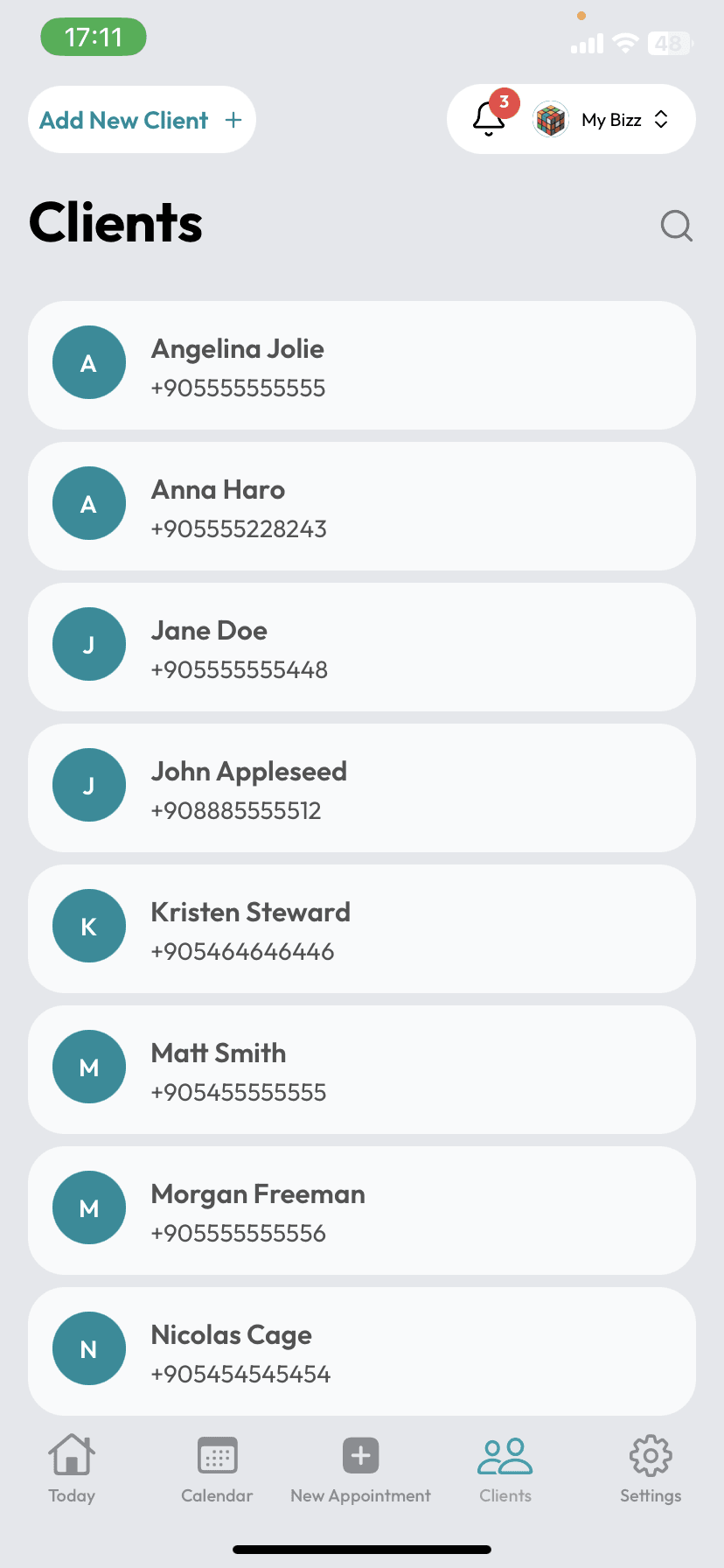
Add your customers, safely
Add customers one by one or import your existing list in seconds. Everything is end-to-end encrypted at KVKK/GDPR grade.
Manage appointments in one tap
Book appointments and let SMS reminders and confirmations go out automatically. Gaps fill up, no-shows go down.
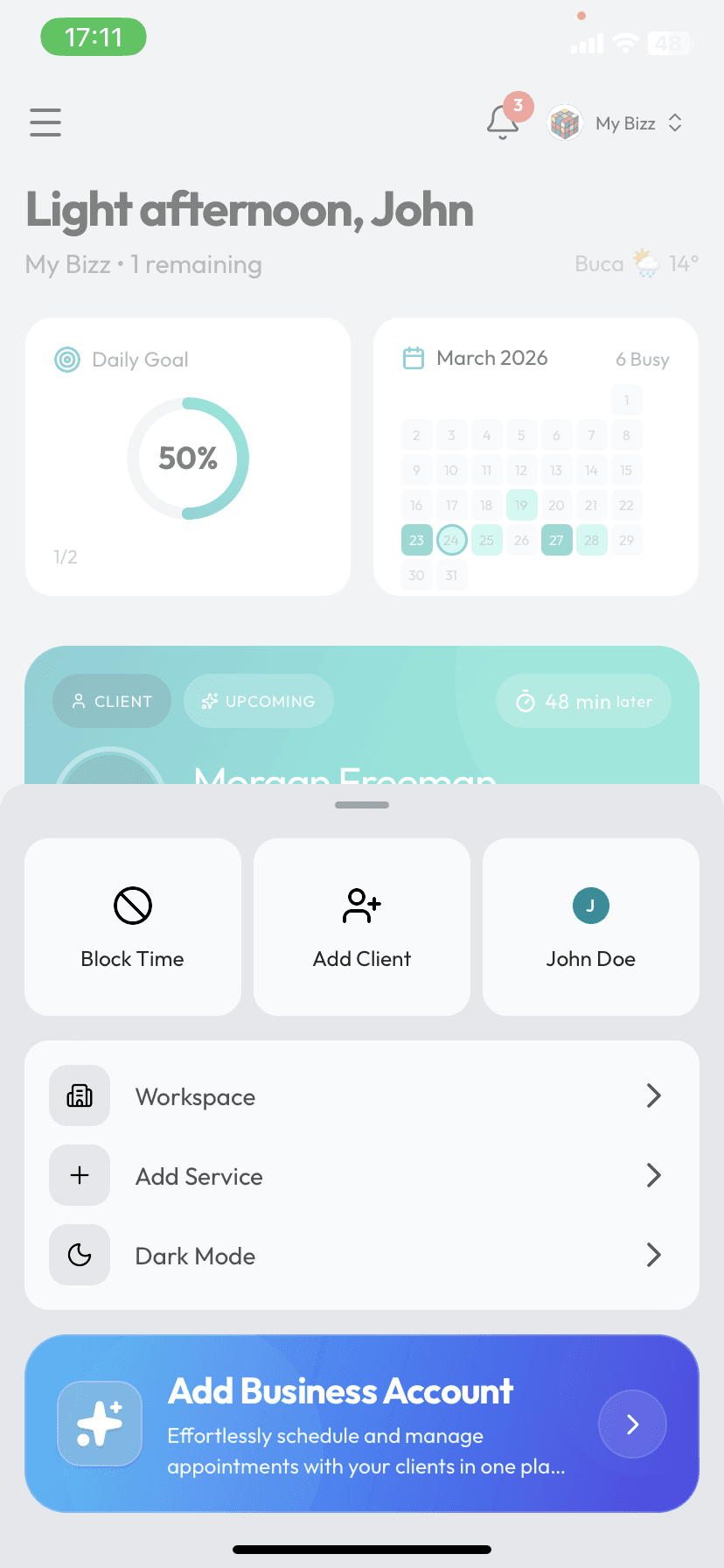
Keep a pulse on your business
Track daily goals, upcoming appointments, and stats from a single screen. Mio takes the tiring admin off your hands.
Add your customers, safely
Add customers one by one or import your existing list in seconds. Everything is end-to-end encrypted at KVKK/GDPR grade.
Keep a pulse on your business
Track daily goals, upcoming appointments, and stats from a single screen. Mio takes the tiring admin off your hands.